For the first time I injected my own DLL into a running process. The injector in C++ uses CreateRemoteThread to load the DLL into the target. Once inside, the DLL hooks a few functions and writes debug output.
The injector opens the target process, allocates memory for the DLL path, writes it into the remote process and creates a thread that calls LoadLibrary. The DLL then runs in the target's address space and can hook functions or modify memory. Pretty straightforward once you've understood the Windows API.
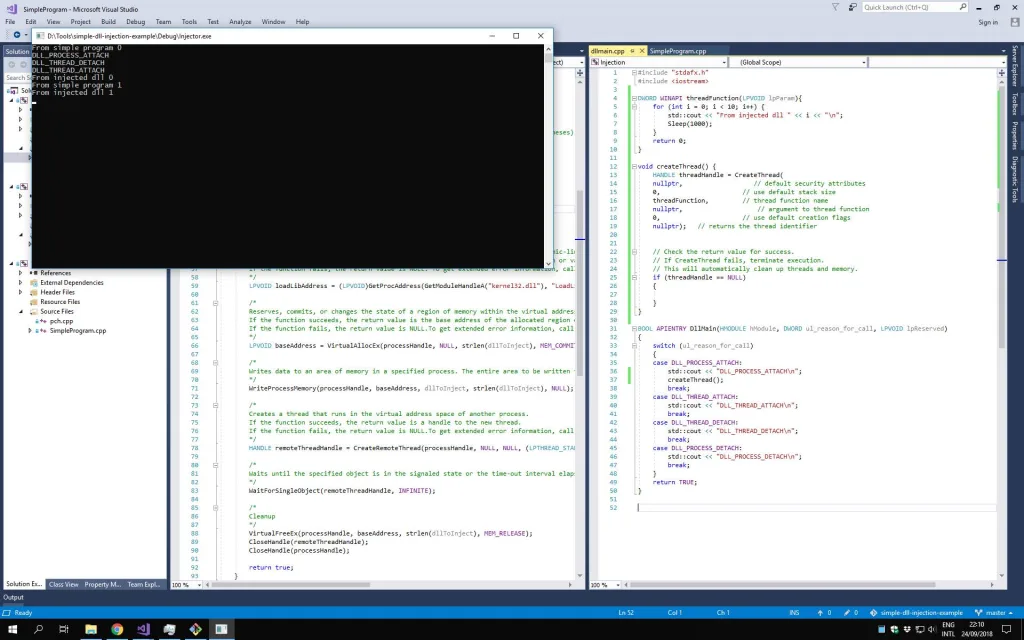
The screenshot shows Visual Studio with the injector code on the left and the debug console at the bottom. The console shows "dll injected" messages after CreateRemoteThread succeeded. On the right in the editor you can see the DLL with the hook functions.