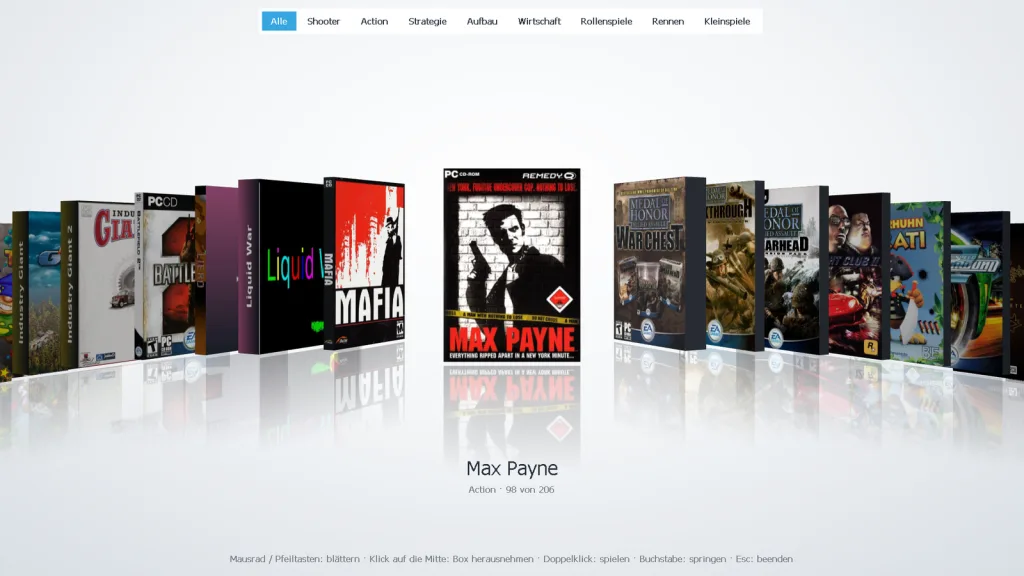
usagi, my Windows XP box for retro LAN parties, now has a bit over 200 games as shortcuts on the desktop, sorted into folders like Shooter, Aufbau and Strategie. It works, but it looks like a Windows desktop from 2004. Back on the Wii I used USB Loader GX, which shows your games as cases in a row you scroll through with the mouse wheel. I wanted that for the XP machine too. So I built Regal: a single exe that collects the shortcuts on startup and shows every game as a 3D box.
Where the boxes come from
The images come from the LaunchBox database. It ships as one 500 MB XML file with front, back and spine scans for a huge number of PC games. The catch: my shortcuts are named differently. "Caesar™ 3" is "Caesar III" in the database, "Aufstieg des Hexenkönigs™" only shows up as the third part of a long English title, and "Quake - Dissolution of Eternity" is listed as "Quake Mission Pack No. 2: Dissolution of Eternity".
So I wrote an indexer in Python that trims both sides the same way. Trademark signs and bracketed extras go, Roman numerals turn Arabic, GOTY and Gold disappear, A.D. becomes AD. Then it compares the full name, the main title and the subtitle, including the German alternate names in the database. When several entries match, the one containing the most words of the shortcut wins, otherwise "Gothic 2 Gold" ends up as plain Gothic II. Anything that only roughly fits goes into a report instead of onto the shelf. On its own it finds 189 of 206 games, 198 with a few lines of manual fixes. What's left are small games like Sumpfhuhn 3 or Pulleralarm that LaunchBox doesn't know. Those get a box in their group's color with the name on it.
For each game the indexer builds one 1024x512 image: front on the left, back next to it, spine on the right. Everything gets onto the XP machine via xpctl.
How the box is built
The box is a cuboid. Its width comes from the aspect ratio of the front, its depth from the spine. A DVD case ends up flat and an old big box nice and chunky, and I never have to track which game came in which packaging. There are no buttons, it's all mouse: click the middle box and it comes forward, click again and it goes back on the shelf. Hold the button and drag to spin it, all the way around to the back if you like. A double click starts the game.
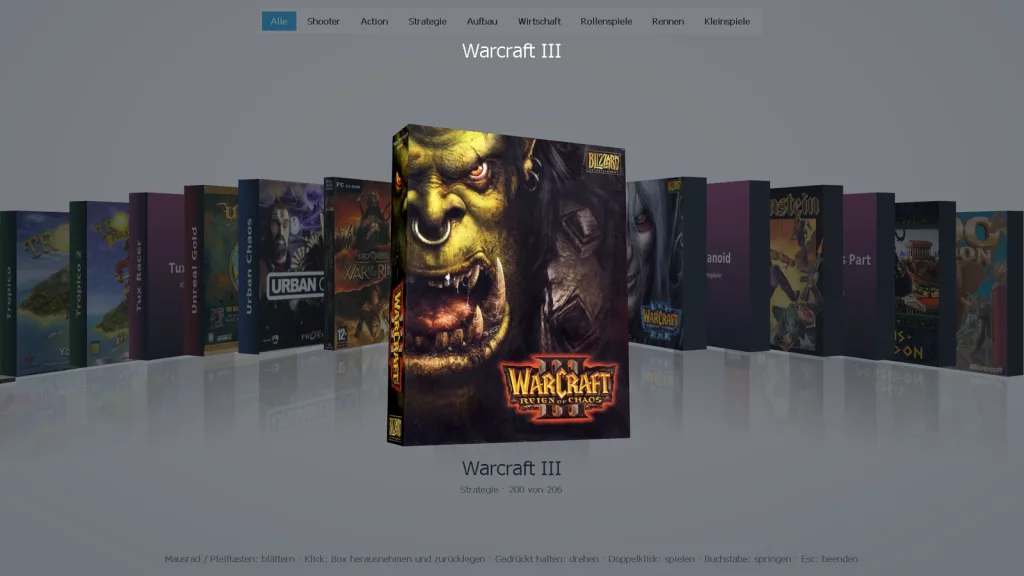
Regal is written in C with Win32 and OpenGL 1.x, built with MinGW for 32 bit. The exe is a bit over 150 KB including the icon. On usagi (Pentium 4, GeForce 7800 GTX) the first frame shows up after a little over 300 ms and scrolling runs at 60 frames per second. A second thread decodes the box images in the background, and at most two per frame go to the graphics card. When a game starts, Regal quits right away so nothing keeps running in the background eating frames.
To make sure I don't use anything XP doesn't have, I copied usagi's system DLLs. After every build a small script checks every import of the exe against their exports.