If you trade seriously in Path of Exile 2, you end up with a browser extension for the trade site sooner or later. Better Trading, TradeUX and a dozen others add bookmarks, history, prices in divine and a better layout. Almost all of them exist only for Chrome. I use Firefox and did not want to switch browsers just to trade. So I built the whole thing as a userscript: PoE2 Trade Monkey. It runs in Violentmonkey, so it works in any browser that has extensions.
What it does
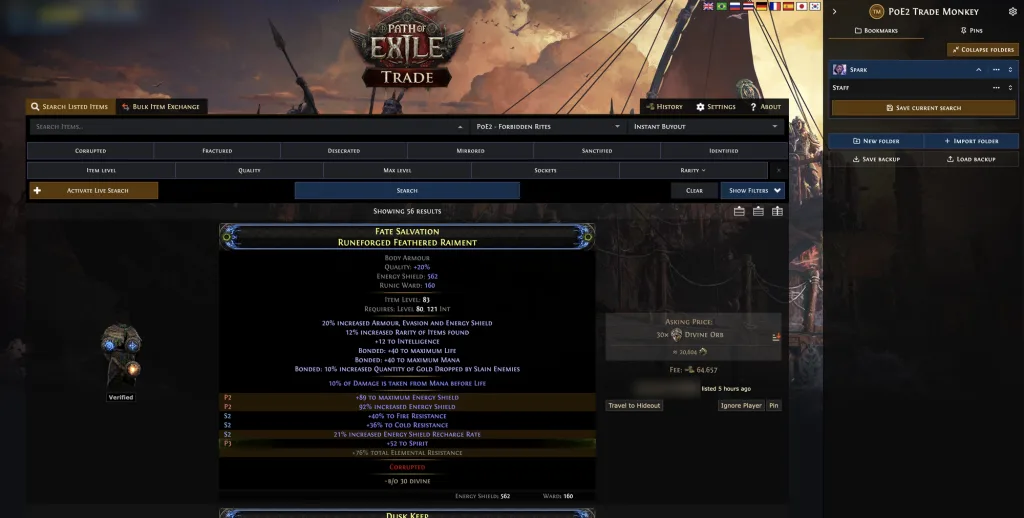
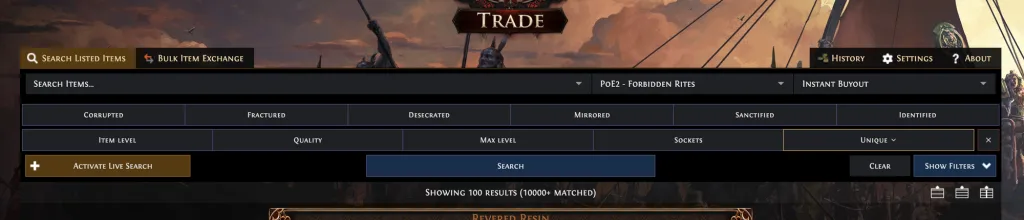
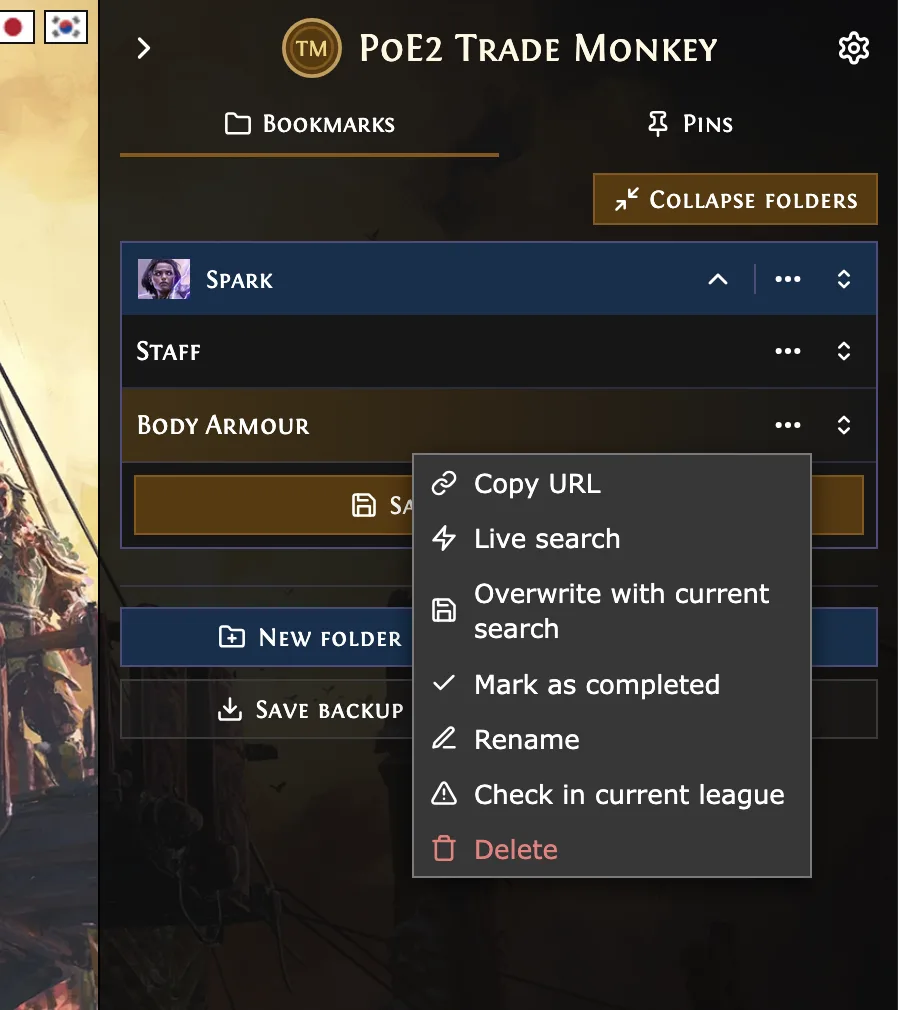
A sidebar on the right matches the look of the trade site. It holds bookmarks in folders with currency or ascendancy icons, a history of recent searches and pinned items. The search form gets a quick filter bar for the things you need all the time: corrupted, fractured, desecrated, item level, quality, rarity. Together with Search and Clear it sticks to the bottom of the screen while you scroll through the filters.
In the results, the mods you filter for are highlighted. Every mod gets a plus and a minus that add it as a filter or exclude it. Identical listings from the same seller at the same price are grouped, and under every price you see its value in divine or exalted, based on poe.ninja rates. Every feature can be switched off on its own.
Bookmarks that work in every new league
This was the real reason for the project: I want to set up my searches once and click them again next league. With Better Trading, saved searches expired after a few weeks because the extension only kept a short search id that GGG eventually cleans up.
While digging into the site I found that trade2 now works differently. The search id in the URL is the full search itself: the request JSON, gzip-compressed and base64-encoded. The league is not part of it. The same id opens exactly the same search in Standard, Runes of Aldur or Forbidden Rites. So a bookmark only stores the type and the id, and when you open it the script puts in the league you are playing right now. Because the search can be decoded from the id, the script can also check whether all stats of a search still exist in the current league.
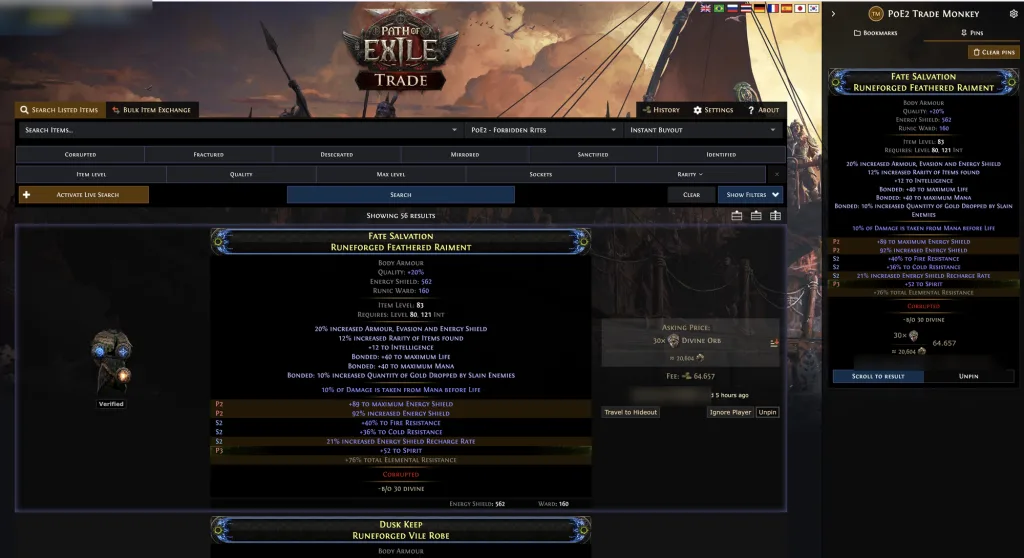
Pinned items remember their search too. If you kept searching after pinning something, one click takes you back to the search it came from.
Under the hood
The trade site is two worlds. The search form is a Vue 2 app with Vuex, the result list a separate Vue 3 app. A userscript runs in a sandbox and only reaches the page's state in roundabout ways, in Firefox also behind so-called Xray wrappers. That is why the script injects a small piece of code straight into the page on load. It listens to the searches the page sends and the results it loads, and it can run Vuex mutations. When the plus next to a mod sets a filter, it uses exactly the mutation the form uses itself. That does not depend on the site's language and is sturdier than typing into dropdowns.
It was important to me that the script never does anything you would not have done yourself. It sends no searches of its own, does not poll the trade API in the background and never clicks whisper or "Travel to Hideout". It only works with the data the page loads anyway.
Built with agents, tested without Cloudflare
I built it in one day together with Claude Code. It started with four research agents that took apart Better Trading, TradeUX, every other trade tool and the site's internals. Then I laid down the foundation myself and had the thirteen features built in two waves of five agents, each in its own folder so nobody overwrote anybody else's files.
The biggest obstacle was not the code but Cloudflare. The trade site needs a login and blocks automated browsers. So I started a normal Chrome with its own profile, logged in and attached Playwright only through the debug port. That worked well until too many reloads in a short time got me stuck in an ever longer Cloudflare check. Since then almost everything runs against a replica of the site: the real API responses and the real CSS from the CDN, only the server is missing. The Playwright tests and the screenshots for design changes run there, and I only need the real site for one short pass at the end.
Install
Install Violentmonkey for Firefox, then open the script and confirm. Updates arrive on their own. The code is MIT licensed on GitHub.
I built something for the campaign as well: the PoE2 speedrun guide is a checklist for the tablet next to the game, with act times, every quest and a reference section.